| |
Are you frustrated because you've spent hundreds of dollars on the world's top selling game systems and are already having problems with them?
Don't waste your time and money by sending your Playstation, Playstation 2 or Dreamcast game systems off to be repaired. Game console repair is in demand, but you don't need to spend perfectly good money on a $80-$120 repair job that you don't need.
Click Here for a Quick Comparison
UltimateConsoleGuides.com provides troubleshoot & repair guides to help you fix many common game system problems. From disk read error & tray eject problems to no power, these repair guides provide information on a variety of Playstation, Playstation 2, Dreamcast, Gamecube and Playstation Portable (PSP) problems you may experience.
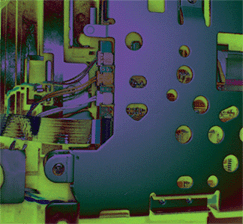
Game console repairs are easy if you know what you're doing. These Dreamcast, Playstation, PS2 , PSP and Gamecube repair guides will show you, step-by-step, procedures you can use to fix your game systems in the comfort of your own home. No special tools needed. With just a screwdriver and one of our amazing manuals, you can open your game system with confidence and start playing your favorite games again in no time. Complete with pictures, detailed power supply and fuse diagrams, and video instructions (PS2 repair guide & Gamecube Repair Guide) our Ultimate Troubleshoot & Repair Guides are just what you've been looking for.
These repair guides do not contain over-complicated solutions. Procedures mentioned in these repair guides are simple, walk-you-through, easy to understand solutions that every Playstation 2 owner should know.
You can download your copy today and start playing again! Make money by buying broken and selling like-new game systems you've repaired and tested!
Here's just a sample of what the some people are saying:
William, I actually purchased the download version for $9.95, and for the first time in my internet life I was shocked to find out the "testimonials" at your website were actually @#!$ TRUE! I was able to fix my sons PS2 on a
Sunday afternoon, not only that (1) day prior to buying (the download) I
came across a "dead" PS2 from someone at work I offered them 20
bucks for it, "figuring" I would use any parts for it (PS2) to fix mine-
DOH!!! fixed that one too!!!. To anyone out there, If you have any concept of OHMS law or basic electrical (I mean basic) ability, spend the $9.95 BEFORE you spend the $80-$120 bucks you will anywhere else.
Thanks a lot, ~Ted
|
Hello, I just wanted to let you know how happy we are with the guide I bought from you the other night. My 10 year old son and myself took his gamecube completely apart today and "tweaked" the laser, lo and behold the thing works again. The look on his face when it fired up and started working again was priceless. He was very proud. He did most of the disassembly and pretty much all of the reassembly. Anyway thanks I really mean that, we couldn't have possibly done it without your exceptionally well made guide. I m kind of looking forward to his ps2 screwing up so we can fix that too. (with your ps2 guide of course). Thanks again, -Jeff and son
|
Just wanted to say thanks for the great guide. I purchased a Playstation on ebay about 2 weeks ago for $50.00 including shipping. The disk tray would not open as was mentioned in the auction, but it was supposed to play games. Thanks to your detailed guide, I felt very comfortable taking the machine apart and working on the drive. After about one hour, I reassemble the PS2 and voila, the drive extended and retracted smoothly. I now have a completely working Playstation for a total investment of about 65.00 including your guide. I look forward to more purchases of Playstations were I can fix and resell. Or perhaps I will get one for each floor in the house for what would be the cost of one. Thanks again. ~Dan
|
I received my cd yesterday and since i had already downloaded the info i decided to take a look at it....Yesterday i decided to test out my newly found skills on two PS2's that had the disk read error problem. I had fixed one with in a matter of like 10-15 mins. The other one took just as long and the results were the same.
Thanks a ton!!!! I doubted the info at first but now i will believe anything you say!!! Once again thanks for such helpful info. It saved me much money and will probably make me some on the side. -Joel
|
You are the BEST!!!
I was getting unable to read disc errors on my PS2. I came across your website, purchased the tutorial and within 5-10 minutes my ps2 was better than ever…Best 10 dollars I have ever spent…Thank you very much -Harel
|
|
Thank you for the brilliant information, I followed the instructions clearly
defined and now the Playstation 2 is working brilliantly, you have save me
at least $70 in repair cost. -Ryck
|
TAKE A LOOK AT A SAMPLE PS2 REPAIR GUIDE
(This is an executable file, does not contain any virus and is safe to download and run)
UPDATES ARE ALWAYS FREE TO EVERY CUSTOMER. WHEN WE UPDATE OUR DREAMCAST, PLAYSTATION, PLAYSTATION 2, GAMECUBE or PSP REPAIR GUIDES WITH NEW INFORMATION, YOU'LL RECEIVE A DOWNLOAD LINK TO KEEP YOU UP TO DATE WITH THE NEWEST VERSION OF THE PROGRAM YOU PURCHASED!

These guides come as a program in EXE format, ready to download and use on any PC compatible computer. SORRY NOT MAC COMPATIBLE. A download link will be provided immediately after completing the payment process.
If you would like a guide sent to you on a CD, through the mail, choose the corresponding shopping cart button to pay.
Ultimate Console Guides
Lockport, IL 60441
United States
(Please email first)
|


.gif)
.gif)